
Your Virgin Voyages Account – What You Need to Know About Your Sailor Profile
Your Virgin Voyages account is home to your personal details, payment method, booking history, loyalty status, and your upcoming voyages. After confirming your cruise, you can manage your upcoming voyage via your Virgin Voyages account online or the Virgin Voyages app.
This article explains how to setup and access your Virgin Voyages account, the best use cases for the online account vs. the app, and how to avoid common mistakes when creating or accessing your bookings.
If you already know your login credentials, you know what to do and may skip this article. Otherwise, keep reading.
👋 Hi, I’m Denise — travel advisor with Fora and Top 100 First Mate with Virgin Voyages. This article is intended for my clients here at PlanYourVoyage.com. If you’re booking on your own using my First Mate link or using a different travel advisor, some of this information may not apply to you. I try my best to keep everything updated but something is off or you have any questions, please reach out. Cheers!
Your Virgin Voyages Account
Each Sailor must have their own Virgin Voyages account. The information used to create your account will be used in your cruise bookings. The name and personal details in your Virgin Voyages account must match the government issued ID that will you’ll use to travel.
At a minimum, the information required to create a new Sailor account includes:
- Name exactly as it appears on passport including suffixes like Jr., Sr., or IV, if applicable
- Date of birth
- A unique email address
- Country of citizenship (if dual citizen, match the passport that will be used to travel)
- Phone number
A home address is also required when purchasing Voyage Protection, the travel insurance offered by Virgin Voyages.
A passport book valid for a minimum of 6 months from your travel date is required for most cruises. Check the expiration date of your passport to avoid last minute problems. Although some closed-loop itineraries may not require a passport, I recommend all my cruise clients travel with a passport book as it is the only universally recognized travel document abroad.
Sailor ID and Sailing Club Account
Your Virgin Voyages account will be linked to a unique Sailor ID and your Sailing Club account number. Use the same Virgin Voyages account every time you book a new cruise.
Having multiple or creating duplicate accounts can cause problems with your bookings, logging in, loyalty status, and future offers.
Creating a New Virgin Voyages Account
Already have an account?
If you have booked a Virgin Voyages cruise or put a reservation on hold at some point, you already have an account. You can simply click the email confirmations to login online or access the app.
If already have an account but cannot access it, do not try to create a new account with the same or a different email. That may result in duplicate accounts that will cause issues with your reservations and loyalty status.
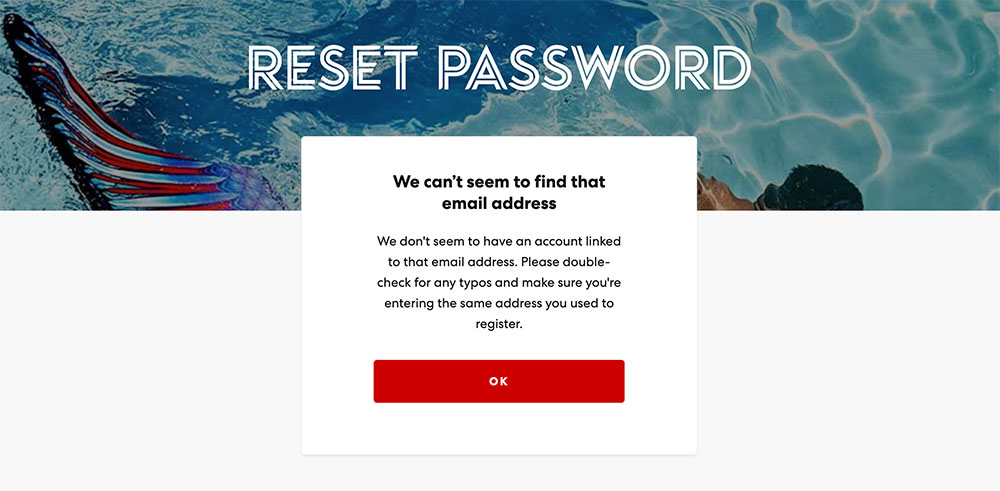
Before creating a new account, go to the Virgin Voyages login page and click the “forgot password” link.
Avoid creating duplicate or multiple accounts
Sometimes Sailors can unintentionally create more than one Virgin Voyages account using different emails, or duplicate accounts with the same email. A typo in the name or date of birth can also result in a duplicate account.
To prevent that from happening, here’s what you can do:
🚫 DO NOT use the same email as your spouse, parent, or friend. Each Sailor needs their own Virgin Voyages account with a unique email address
✅ DO double check details like name spelling and date of birth. You will not be able to edit details yourself later and must submit submit edits to Virgin Voyages via this form.
Couples that use the same email, or one person creating a booking with their partner’s email address is the most common issue I see. Remember, each person is required to have their own Sailor Profile that is connected to their booking and travel documentation.
What to do if you have duplicate or multiple accounts
Having duplicate or multiple Virgin Voyages accounts can give you error to login and cause your bookings to be split among multiple accounts, preventing your loyalty status from being tracked correctly.
If you think you have more than one Virgin Voyages account, contact your me or Sailor Services. Virgin Voyages can merge your accounts so that all your bookings and benefits are consolidated.
Merging accounts can take a several days to complete and doesn’t always work on the first attempt so do not wait until last minute to deal with issues.
Access Your Virgin Voyages Account Online vs. App
There are two ways to access your Virgin Voyages account:
- Online via the Virgin Voyages website – best for overall account and booking management
- On your phone via the Virgin Voyages mobile app – best for pre-embarkation tasks and onboard use
Virgin Voyages Online Account
The Virgin Voyages online account is best to manage your overall Virgin Voyages account, easily navigate to all your upcoming bookings, and make payments. It’s also a more convenient way to book excursions, add-ons and dining tha the App.
Here’s what you can manage in your Virgin Voyages online account:
- Upcoming Voyages
- Shore Things
- Add-Ons
- Dining Reservations
- Voyage payments
- Voyage Protections and InVoyage Care
- My Next Virgin Voyage placeholders
- Access Keys
- Personal information and contact details
- Login details
- Profile photo
- Payment method
- Communication preferences
Virgin Voyages App
While you can do manage many of the items listed above, the Virgin Voyages mobile app is best to complete your pre-embarkation check-in and use while onboard. There are also some voyage-specific content that is only available on the app.
Here’s what you can manage in your Virgin Voyages mobile app pre-embarkation:
- Check-in
- Embarkation details
- Arrival time
- Port location
- Priority status, if applicable
- Health check (available 24 hours before embarkation)
- Activities
- Shore Things
- Add-Ons
- Dining Reservations
- Spa treatments
- Add a friend (link to other cabins)
- Event Line Up
Additional things you can do in the Virgin Voyages mobile app while onboard:
- Cabin services
- ShipEats
- Shake for Champagne
- Messenger
- Classes and Shows
- Notifications and Alerts
View Multiple Bookings in the App
The Virgin Voyages App only allows you to view one voyage at a time. If you have multiple confirmed bookings, here’s how you can switch between them:
- Navigate to the “Me” tab on the App
- Click the “Settings” button on the top right
- Select the “Switch Voyage” option
Login the Virgin Voyages App without Email
If you’re having trouble logging in with your email, you can access your upcoming voyage in the App using your booking details and personal information only.
The most common issue with this login method is the last name and date of birth. They must be exactly as registered in the system so if you’re having trouble see the “if you still can’t find booking” below.


Can’t Find Booking After Logging In?
If you’re able to login to your Virgin Voyages online account but can’t see your booking under “My Upcoming Voyages”, scroll down until you see a section to connect a booking. In the App, you can see a similar option to “Claim a Booking” under Me > Settings > Switch Voyage.
Enter your last name, date of birth and booking reference number and click to search.
If you still can’t find booking:
- Make sure you logged in using the same email you gave me to create the reservation.
- You must enter the last name exactly as it’s registered in the Virgin Voyages system. If you have multiple last names, suffixes (like Jr., IV, ot Sr.), or use hyphens ask me to check how your name is registered in the system. It must match your travel document so we can correct it if necessary.
- Ask me to verify if the date of birth is correct in the system.

How to change the email or edit account details
You are not able to edit your account email or details. If you need to update your Virgin Voyages account email or fix details like name, date or birth, etc do not create a new account. You can ask your First Mate to make changes or submit your changes to Virgin Voyages via this form.